The Creator’s Guide to Building an Online Home
A practical blueprint for authors, visual artists, musicians, and performers to plan, build, and maintain an owned digital presence.
Social algorithms change, but an owned website remains the permanent digital hub for your creative career.
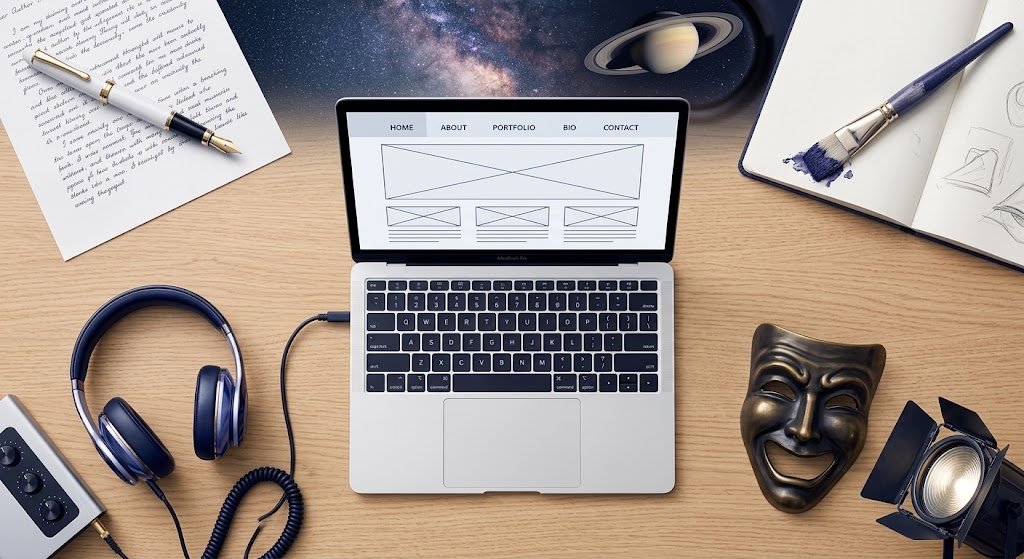
Building and maintaining an effective website requires planning, technical and design expertise, and commitment. The payoff is a communication channel to the world.
Focus on audience alignment, domain strategy, and choosing the right platform for your medium.
Defining Your Primary Objective
A website does not need to sell something, collect addresses, or generate bookings to have a clear purpose. It may establish a creator’s identity, introduce an artistic body of work, document an imagined world, publish material, educate visitors, preserve an archive, or help an audience explore related projects.
Begin by asking two questions:
- What role should the website play in your creative work?
- What should visitors understand, experience, or do while they are there?
Most creator websites support several objectives. Identify the principal objective so that it can guide the website’s organization without excluding its supporting purposes.
Common objectives include:
- Establishing the creator’s identity, authority, or public presence
- Introducing visitors to a creative body of work
- Creating an immersive experience around a story, world, project, or artistic vision
- Publishing original writing, artwork, music, video, or other material
- Organizing and preserving an interconnected archive
- Helping visitors explore works, characters, collections, performances, or projects
- Showcasing a portfolio or selected accomplishments
- Educating visitors or providing free resources
- Building an audience or subscriber list
- Selling books, artwork, products, tickets, or services
- Receiving booking, collaboration, media, or client inquiries
- Supporting a community, membership, or ongoing conversation
- Promoting a release, exhibition, performance, event, or campaign
- Directing visitors to marketplaces, streaming platforms, social channels, or other destinations
The more useful distinction may therefore be:
- Primary role: Why does this website exist?
- Primary visitor outcome: What should someone understand, experience, or do?
- Supporting objectives: What additional actions should the website make possible?
External Web Resources
- Arts Midwest: What You Need to Build an Artist Website
Recognizes that a creator website may function as a curated portfolio, chronological archive, online store, or central audience hub. This is the strongest general companion to this section. - IngramSpark: The Complete Guide to Creating an Author Website
Encourages authors to determine the website’s purpose before choosing its contents. It considers reader communication, book information, mailing lists, contact opportunities, and sales. - Authors Guild: Best Practices for Author Websites and Blogs
Explores author websites as parts of a broader creative and professional presence, including publishing, audience development, and promotion. - Digital.gov: Usability
Explains why a website should be organized around what visitors need to accomplish. This supports the distinction between the website’s purpose and its intended visitor outcomes. - Library of Congress: Personal Digital Archiving
Provides guidance for creators whose websites or related collections serve an archival or preservation purpose. - Library of Congress: Digital Preservation
Introduces longer-term considerations such as sustainable file formats, descriptions, storage, monitoring, and preservation. - Artwork Archive: Public Profile Setup and Customization
Demonstrates how an artist’s online presence can combine identity, collection organization, public discovery, and professional presentation.
Domain & Branding Basics
Your domain name becomes the permanent address of your website and an important part of your public identity. Choose a name that is recognizable, memorable, easy to spell, and broad enough to remain useful as your work develops. YourName.com may suit a creator building a career around one public identity. A business, collective, fictional persona, artistic world, or long-term project may be better served by its own name.
Register the domain through an account you control, and make sure you or your business is identified as the registrant. Record the registrar, account credentials, renewal date, and payment method. Website designers, hosting providers, and collaborators may need technical access, but they should not own the domain on your behalf.
Check whether corresponding usernames are available on the social platforms relevant to your audience. Exact matches are helpful but not essential. A recognizable pattern matters more than forcing an awkward abbreviation on every platform. You may wish to reserve important handles even when you are not ready to use them, but you do not need an active presence everywhere.
Your visual branding should also help visitors recognize the same creator or organization across websites, newsletters, social accounts, and promotional materials. Begin with a limited color palette, one readable body font, and perhaps one complementary heading font. Record the exact color values and font names. Consistency strengthens recognition, but readability and accessibility should take priority over decorative effect.
Before committing to a name, perform basic searches for existing creators, businesses, domains, social accounts, and trademarks. Name availability does not necessarily mean that the name is legally safe or distinct enough to use.
External Web Resources
Domain registration and control
- ICANN: Information for Domain Registrants
Explains registrant rights, responsibilities, renewals, transfers, and domain management. - ICANN: Domain Name Registration Process
Clarifies the roles of the registrant, registrar, and registry. - ICANN Lookup
Provides available public registration information for existing domains.
Name and handle research
- Namechk
Checks a proposed name across domain extensions and many social platforms. Confirm results directly with each platform before relying on them. - USPTO Trademark Search
Helps identify similar pending or registered federal trademarks. This is useful preliminary research, not a substitute for a complete clearance search or legal advice.
Colors and accessibility
- Adobe Color
Creates coordinated palettes or extracts colors from an existing image. - Adobe Color Contrast Analyzer
Tests foreground and background combinations for readable contrast. - W3C Color Contrast Checks
Explains what website elements need sufficient contrast and how to perform basic checks.
Fonts and typography
- Google Fonts
Offers a searchable collection of fonts suitable for websites and other materials. - Google Fonts: Pairing Typefaces
Provides guidance for selecting complementary fonts without sacrificing readability.
The right platform depends less on ease-of-use and more on what your audience needs to see and do on your site. Different creative disciplines carry very different media and engagement demands — a mismatch here means fighting your platform for years.
Authors live and die by text and reading flow. The core need is fast-loading pages, clean typography, a blog/serial-post structure, and painless integration with an email newsletter (since most author platforms are built around list-building, not one-off visits). Heavy media isn’t the priority — reliability and content organization are. WordPress excels here because of its native blog architecture and near-limitless plugin ecosystem for newsletters, book sales, and series/reading-order pages.
Musicians and composers need to embed and stream audio without friction — SoundCloud/Spotify/Bandcamp players, tour date calendars, and merch or ticketing links front and center. Site speed matters more here because audio-heavy pages are naturally heavier, and mobile responsiveness is non-negotiable since fans often discover music from a phone. Squarespace has strong built-in support for this out of the box; WordPress can match it but needs more setup work through plugins.
Visual artists are almost entirely an image-first audience — the platform needs to render large, high-resolution images beautifully, support gallery/portfolio layouts, and offer lightbox viewing without murdering page-load times. Print/commission sales functionality (or clean integration with a marketplace like Etsy) often matters too. Squarespace and dedicated portfolio builders (like Format or Adobe Portfolio) are purpose-built for this; WordPress can do it well with the right gallery plugin, but out of the box it’s not as visually polished by default.
Performing artists (actors, dancers, theatre) need a mix: reel/video embeds, a resume or press kit as a downloadable PDF, a photo gallery, and — critically — an events/booking calendar that’s easy to keep current. Engagement here is less about newsletters and more about casting directors, agents, or presenters finding credentials fast. This audience often benefits most from a simple, fast, mobile-first site over a media-heavy one — Wix and Squarespace both handle this well with minimal setup.
The common thread: pick the platform that makes your primary medium effortless, not the one with the prettiest templates. If your medium is words, optimize for reading and list-building. If it’s sound, optimize for streaming and events. If it’s images, optimize for load speed and visual real estate. If it’s performance, optimize for credibility and easy booking access.
External Web Resources
WordPress.org
Best for authors and writers: native blogging, huge plugin ecosystem for newsletters, series pages, and book sales integrations.
WordPress.org
Squarespace
Strong built-in music players, event calendars, and gallery templates — a solid fit for musicians and visual artists alike.
WordPress.org
Squarespace
Strong built-in music players, event calendars, and gallery templates — a solid fit for musicians and visual artists alike.
Wix
Fast to set up with strong booking/calendar widgets, popular with performing artists needing a simple credentials-and-reel site.
Wix
Format – Portfolio Websites
Purpose-built portfolio platform for visual artists and photographers, optimized for large-image galleries and print sales.
format.com
Bandzoogle – Musician Websites
Website builder built specifically for musicians, with integrated music players, merch, and tour date tools.
Bandzoogle
Adobe Portfolio
Free, minimal portfolio builder aimed at visual artists and designers, especially those already in the Adobe ecosystem.
Once the platform is chosen, the site’s structure should mirror how each audience actually navigates — not a generic template. A few pages are universal, but what belongs on them (and how deep the architecture needs to go) shifts by discipline.
Every creator site needs the same four load-bearing pages: a Home page that states in one glance who you are and what you make; an About page that builds trust and credibility; a Contact/Booking page that makes it obvious how to reach you (or your representative); and a Work page — the specific name and structure of which is where disciplines diverge sharply.
Authors need their “Work” page to function as a Books/Series page, organized by reading order or series rather than by publish date, since new readers need to know where to start. A Blog or Newsletter Archive page matters more here than for any other creator type — it’s the primary engagement engine. A dedicated Press Kit page (bio, headshots, cover art, review quotes) saves enormous back-and-forth with media and event organizers.
Musicians and composers need a Music/Listen page built around embedded players rather than static text, and a live Tour/Events page that’s simple enough to update from a phone between soundchecks. A Press/EPK page bundling stage plot, rider, bio, and high-res photos is standard for anyone pursuing bookings. If merch or physical releases are part of the business, that’s its own page — folding it into “Music” buries the transaction.
Visual artists should treat “Work” as a Portfolio/Gallery, usually organized by series or medium rather than chronologically, since collectors and curators browse by body of work. A separate Commission/Prints page with clear pricing and process expectations reduces repetitive inquiry emails. An Exhibition History page (past and upcoming shows) does double duty as both credibility-building and a de facto events calendar.
Performing artists need “Work” reframed as a Reel/Demo page, front-loaded with video since that’s what casting directors and presenters actually watch. A Resume/Credits page (downloadable PDF a plus) is expected in this field the way a portfolio is expected of a visual artist. Because bookings are agent- or presenter-driven rather than direct-to-fan, the Contact page often needs a Representation line (agent/manager contact) distinct from general inquiries.
The architecture principle underneath all four: put the thing your audience is actually there to evaluate, pages, tracks, images, or reels Ideally should be no more than one click from the homepage, and push administrative content (long bios, full show histories, legal pages) one level deeper.
External Web Resources
Site Structure and Navigation
- Digital.gov: Usability
Supports organizing a website around how easily visitors can accomplish their goals. - Nielsen Norman Group: Information Architecture vs. Navigation
Explains the distinction between organizing a site’s content and creating the navigation visitors use to reach it. - Nielsen Norman Group: Information Architecture Study Guide
Covers navigation, hierarchy, labeling, card sorting, and methods for aligning a website with visitors’ expectations. - U.S. Web Design System: Header and Navigation Guidance
Explains how prominent navigation helps visitors identify a website and reach its principal sections.
Authors
- IngramSpark: The Complete Guide to Creating an Author Website
Covers book information, biographies, reading guides, excerpts, blogs, media coverage, events, and contact options. - IngramSpark: Why You Need an Author Media Kit
Recommends assembling author biographies, professional photographs, cover images, reviews, sell sheets, and downloadable publicity materials. - Authors Guild: Best Practices for Author Websites and Blogs
Provides broader guidance on author websites, blogs, platform development, publishing, and book promotion.
Musicians and Composers
- WaterBear: How to Create an Electronic Press Kit
Covers biographies, music links, promotional photographs, performance videos, tour dates, merchandise, and contact information. - ReelCrafter: EPKs 101
Explains how streamable music, video, press quotations, show dates, photographs, and contact information work together in a musician’s EPK.
These resources support separating the listening experience, performance schedule, merchandise, and professional booking materials when each serves a distinct audience need.
Visual Artists
- Arts Midwest: What You Need to Build an Artist Website
Approaches an artist website as a portfolio, creative archive, store, or central audience hub. - Artwork Archive: Building a Successful Visual-Art Portfolio
Explains the portfolio as a curated selection representing the larger scope and intention of an artist’s practice. - Sotheby’s Institute of Art: How to Create a Professional Art Portfolio
Provides guidance on selection, narrative, presentation, and portfolio organization. - Squarespace: How to Make an Art Portfolio
Discusses curated galleries, artist biographies, statements, calls to action, branding, and navigation.
Performing Artists
- SAG-AFTRA: Tips for Your Professional Demo Reel
Addresses the preparation and professional role of a performer’s demo reel. - Backstage: How to Make an Acting Résumé
Covers credits, professional contact information, representation, union status, skills, and résumé expectations.
A creator website should do more than present finished work. It should give interested visitors a clear way to continue the relationship. Depending on your goals and discipline, that may mean subscribing to a newsletter, following an active social channel, attending an event, leaving an inquiry, requesting a booking, purchasing work, or returning for new material.
Choose connection methods you can maintain consistently, and make them easy to find without allowing pop-ups, forms, and competing calls to action to overwhelm the work itself. Visitors should understand what they will receive, how often they may hear from you, and what information you are asking them to provide. The goal is not to collect the largest possible audience, but to help the right people remain meaningfully connected to your creative work.
External Web Resources
Email Lists and Subscriber Expectations
- Mailchimp: About Signup Form Options
Explains embedded forms, hosted forms, pop-ups, and landing-page signup forms for different audience-building goals. - Mailchimp: Double Opt-In for Email Marketing
Explains how confirmation-based signup can reduce accidental or fraudulent registrations and document a subscriber’s choice to join. - Mailchimp: How the Form Builder Works
Covers signup forms, confirmation messages, thank-you pages, error handling, and welcome emails.
Clear and Accessible Forms
- W3C: Forms Tutorial
Provides guidance on labels, instructions, validation, error messages, notifications, and multi-step forms. - W3C: Form Instructions
Explains how to tell visitors what information a form requires and how it will be entered. - W3C: User Notifications
Shows how forms should confirm successful submissions and help visitors identify and correct errors.
Privacy and Email Responsibilities
- FTC: Privacy and Security Guidance for Businesses
Introduces responsibilities associated with collecting, retaining, securing, and describing the use of personal information. - FTC: CAN-SPAM Compliance Guide
Explains requirements for truthful commercial email, sender identification, unsubscribe instructions, and honoring opt-out requests.
Clear Calls to Action
- U.S. Web Design System: Link Guidance
Notes that every link creates another possible interaction and that too many links can overwhelm visitors. This supports using a limited number of meaningful connection options. - Nielsen Norman Group: Better Labels for Website Links
Recommends link labels that are specific, sincere, substantial, and succinct so visitors understand where a link will take them.
Together, these resources support an audience-building approach based on clarity, permission, accessibility, privacy, and meaningful opportunities to remain connected rather than collecting contact information for its own sake.
A website is not finished when it launches. Links break, information becomes outdated, software requires updates, and the needs of both the creator and the audience change. Establish a manageable routine for reviewing contact information, forms, purchasing or booking links, event listings, featured work, security, backups, and mobile display. A smaller website that remains accurate and functional creates more confidence than an ambitious site filled with neglected sections.
Search engine optimization begins with helping both visitors and search engines understand the website. Use descriptive page titles, clear headings, meaningful link text, accurate image descriptions, and language that reflects how people actually search for your work. Keep names, genres, locations, services, and other identifying information consistent. Technical tools can help with indexing and performance, but useful, well-organized content remains the foundation.
Growth should follow the website’s purpose rather than traffic numbers alone. An author might measure book-page visits, serial readership, or newsletter subscriptions. A musician might track plays, event interest, or press-kit downloads. An artist might value portfolio engagement, commission inquiries, or exhibition opportunities. A performer might focus on reel views, résumé downloads, and professional contacts. Review what visitors use, improve the paths that matter, and expand the site only when new content or features serve a demonstrated need.
External Web Resources
Routine Maintenance
- W3C Broken Link Checker
Checks pages for links that no longer work or redirect unexpectedly. - W3C Markup Validation Service
Identifies errors in the underlying structure of webpages. Some results may require technical assistance to interpret.
Maintenance procedures for software updates, backups, forms, stores, and booking systems vary by platform. Creators should also consult the current documentation supplied by their website platform, hosting provider, and installed services.
Security and Account Protection
- CISA: Secure Your Business
Provides small-business guidance on updating software, protecting accounts, recognizing threats, and reducing security risks. - CISA: Multifactor Authentication
Explains how an additional verification method protects website, hosting, domain, email, and other administrative accounts. - CISA: Secure Our World
Offers accessible guidance on passwords, multifactor authentication, phishing, and software updates.
Search Engine Optimization
- Google Search Central: SEO Starter Guide
Introduces descriptive titles, headings, links, images, website organization, and content that search engines can understand. - Google Search Essentials
Explains the technical requirements, content practices, and policies that affect eligibility to appear in Google Search. - Google: How Search Works
Explains crawling, indexing, and the delivery of search results. - Google: Getting Started with Search Console
Shows website owners how to verify ownership, review indexing, submit a sitemap, identify errors, and monitor search performance.
Performance and Visitor Experience
- Google: Understanding Page Experience
Addresses mobile display, secure connections, intrusive interruptions, page usability, and the visibility of primary content. - Google: Core Web Vitals
Introduces measurements for loading speed, responsiveness, and visual stability. - PageSpeed Insights
Tests a webpage and identifies possible performance, accessibility, and technical improvements.
A perfect performance score is not required, and Google cautions against improving scores solely for search-engine purposes. The goal is a website that works reliably for its visitors.
Measuring Purposeful Growth
- Google Analytics: About Key Events
Explains how to identify and measure visitor actions that matter to the website’s objectives. - Google Analytics: Set Up a Key Event
Provides an example of measuring an important action, such as reaching a confirmation page after submitting a form.
Analytics should be configured around meaningful outcomes rather than raw traffic alone. Relevant measurements might include visits to a book or portfolio page, completed inquiries, newsletter registrations, media-kit downloads, purchases, bookings, or sustained engagement with published work. Any analytics service should also be disclosed appropriately in the website’s privacy information.